
Download Radios Desk – Free UK Music Radio Streamer for Desktop
Overview
Radios Desk is a lightweight desktop application designed for anyone who wants instant access to the best of UK radio without opening a browser. Built around a clean, easy‑to‑navigate interface, the app aggregates over 150 live streaming stations, covering everything from Top‑20 pop hits to classic jazz, rock anthems, and dedicated news and sports channels. Because the streams are live, listeners receive fresh, up‑to‑date audio content the moment it airs, making the experience feel as real as standing in front of a traditional radio dial. The software runs silently in the background, letting you keep your favourite stations pinned to the taskbar or system tray while you work, study, or relax at home. With a single click you can switch between stations, adjust volume, or enable a “favorites” list that remembers your most‑listened channels across sessions. All streams are provided free of charge and are fully legal, as Radios Desk simply acts as a conduit to the public radio feeds already available online. Whether you’re a commuter looking for a quick news briefing, a music lover chasing the latest chart‑toppers, or a sports fanatic wanting live commentary, Radios Desk centralises the experience into a single, secure desktop app.
Key Features & How to Use Them
- Extensive library of over 150 UK radio stations, sorted by genre, popularity, and content type.
- Live streaming ensures you hear the most current music, news, and sports coverage.
- Favorites manager lets you bookmark stations for one‑click access.
- Mini‑player mode keeps the interface unobtrusive while you work.
- Automatic station updates – new channels are added without needing to reinstall.
- Customizable volume and equalizer presets for a personalized sound profile.
- Sleep timer for automatic shutdown after a set period.
- Low CPU and memory footprint, ideal for older or resource‑constrained PCs.
- Cross‑platform support for Windows 10/11 and macOS 10.15+.
- Free of ads and subscription fees; all streams are provided by the broadcasters themselves.
Getting Started in Three Simple Steps
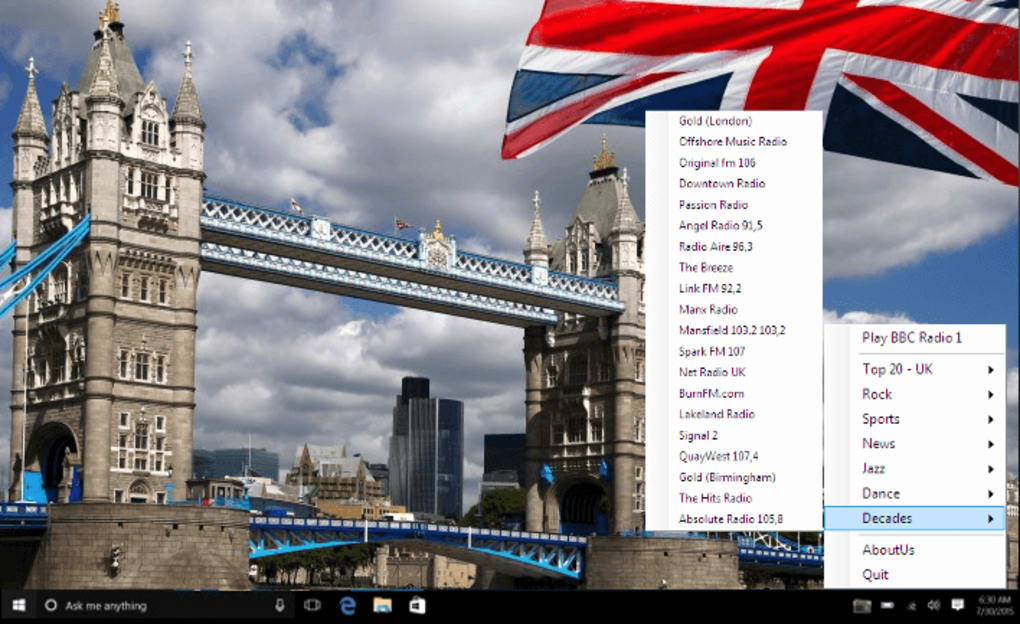
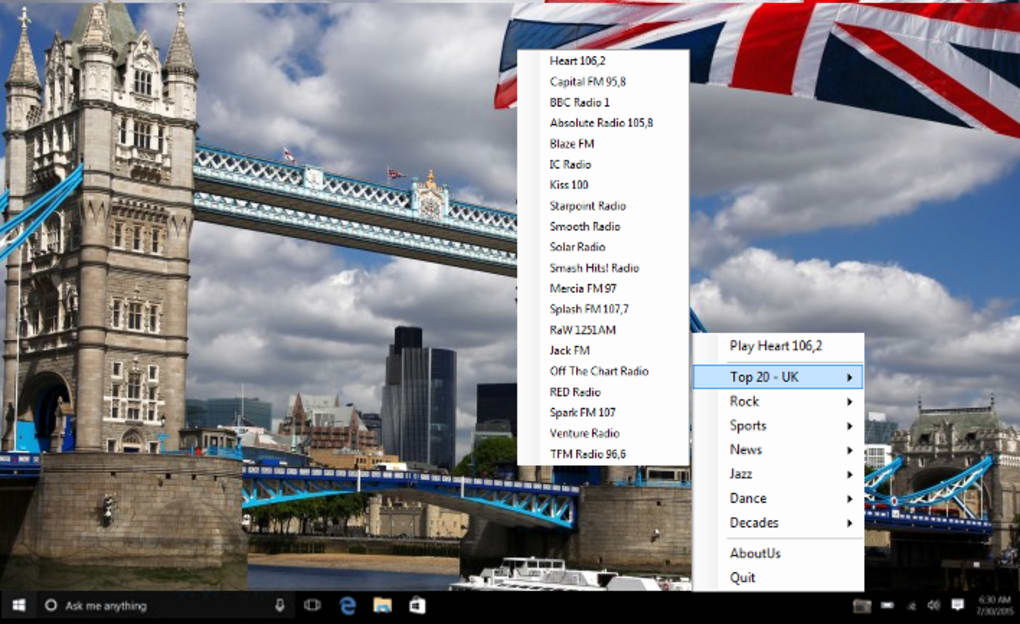
The installation process is intentionally straightforward. After downloading the installer from the official website, run the .exe (Windows) or .dmg (macOS) file and follow the on‑screen prompts. The wizard will ask you to choose an installation folder, create a desktop shortcut, and optionally register the app to start automatically with Windows or macOS. Once installed, launch Radios Desk and you’ll be greeted by the main dashboard. Use the left‑hand navigation pane to explore categories: “Top 20”, “Jazz”, “Rock”, “Decades”, “News”, and “Sports”. Clicking a station name instantly starts streaming; the player bar at the bottom displays the current track title, artist, and station logo. To add a station to your favorites, simply click the heart icon next to its name – it will appear under the “Favorites” tab for future sessions.
Advanced Usage Tips
Power users can benefit from the hidden equalizer, accessible via the gear icon in the mini‑player. Here you can fine‑tune bass, mids, and treble to match your speaker setup. The sleep timer, located in the same menu, is useful for late‑night listening: set a countdown (15, 30, 60 minutes) and the app will gracefully stop playback and close itself. If you frequently switch between stations, enable “Quick Switch” in the settings; this adds keyboard shortcuts (Ctrl + ←/→) to hop forward or backward through your favorite list without touching the mouse. Finally, the “Auto‑Refresh” option checks for new station additions every 24 hours, ensuring you never miss a brand‑new launch from the UK radio scene.
Compatibility, System Requirements, and Pros & Cons
Radios Desk is built with native code for both Windows and macOS, guaranteeing a smooth experience on modern operating systems. Minimum requirements are modest: a 1 GHz processor, 512 MB of RAM, and at least 100 MB of free disk space. The app runs on Windows 10, Windows 11, and on macOS 10.15 Catalina or later. Because it relies on standard HTTP/HTTPS streaming protocols, there are no special drivers or additional codecs needed – the operating system’s built‑in media framework handles audio playback.
Pros
- Free and ad‑free, with no hidden subscription costs.
- Huge selection of UK stations, updated automatically.
- Lightweight footprint – negligible impact on CPU and RAM.
- Intuitive UI that works well on both Windows and macOS.
- Favorites and mini‑player keep the app unobtrusive.
- Sleep timer and equalizer add useful customization.
- Secure streaming via HTTPS protects user privacy.
Cons
- No mobile version – limited to desktop environments.
- Only UK stations; listeners outside the UK may find the catalogue narrow.
- No built‑in recording or podcast features.
- Occasional buffering on very slow internet connections.
- Limited visual theme options (only light/dark modes).
Frequently Asked Questions
Is Radios Desk completely free to use?
Yes, Radios Desk is 100 % free. The app does not display ads, require a subscription, or ask for in‑app purchases. It simply streams publicly available UK radio feeds.
Can I listen to Radios Desk on a laptop while traveling?
Absolutely. As long as you have an internet connection and a compatible Windows or macOS device, the application works the same on a laptop, desktop, or even a thin client.
How does Radios Desk handle internet bandwidth?
The streams are delivered at standard radio quality (typically 64–128 kbps). This ensures smooth playback even on moderate broadband connections. If you experience buffering, you can lower the stream quality in the settings.
Is there a way to schedule recordings of my favourite shows?
Radios Desk does not include a recording feature at this time. The focus is on live streaming, but future updates may add a simple scheduler based on user demand.
What security measures protect my data while using the app?
All audio streams are accessed via HTTPS, which encrypts the data between your computer and the radio server. The app does not collect personal information beyond the optional “favorites” list stored locally on your device.
Conclusion – Should You Download Radios Desk?
For anyone based in the UK—or anyone who loves British music, news, and sports—Radios Desk offers a seamless, cost‑free solution to keep live radio at your fingertips. Its extensive catalogue, lightweight design, and thoughtful features such as favorites, mini‑player, and sleep timer make it a practical companion for both work and leisure. While the lack of a mobile app and the focus on UK stations limit its appeal for some users, the overall value proposition remains strong, especially given the zero‑price tag and ad‑free experience.
If you want a reliable desktop radio player that updates automatically and respects your privacy, download Radios Desk today and start enjoying fresh UK audio content with just a few clicks.







